
If you already know how you want a character to move, or you want to borrow the camera movement from an existing clip, describing the timing with a text prompt alone can be difficult. A Reference Video gives the generation a clearer source of motion information.
Seedance.com.ai includes a Reference Videos input in the AI Video workspace. This Seedance reference video tutorial covers how to use it, how to pair it with a prompt, and what to look for when choosing a video for motion or camera movement reference.
What Is a Seedance Reference Video?
A Reference Video is a video used as part of the input for AI video generation.
Unlike a static image, a video contains movement over time. It can show how a person turns, how quickly someone walks, how a camera follows a subject, or how other elements move through a scene.
When you want the result to follow a certain action or camera movement, a Seedance reference video can provide that dynamic direction while the prompt explains what you want to create.
A Reference Video is a reference, not a request to copy the original clip frame by frame.
If your priority is defining exactly how the video starts and ends rather than referencing motion, see our First Frame and Last Frame guide.
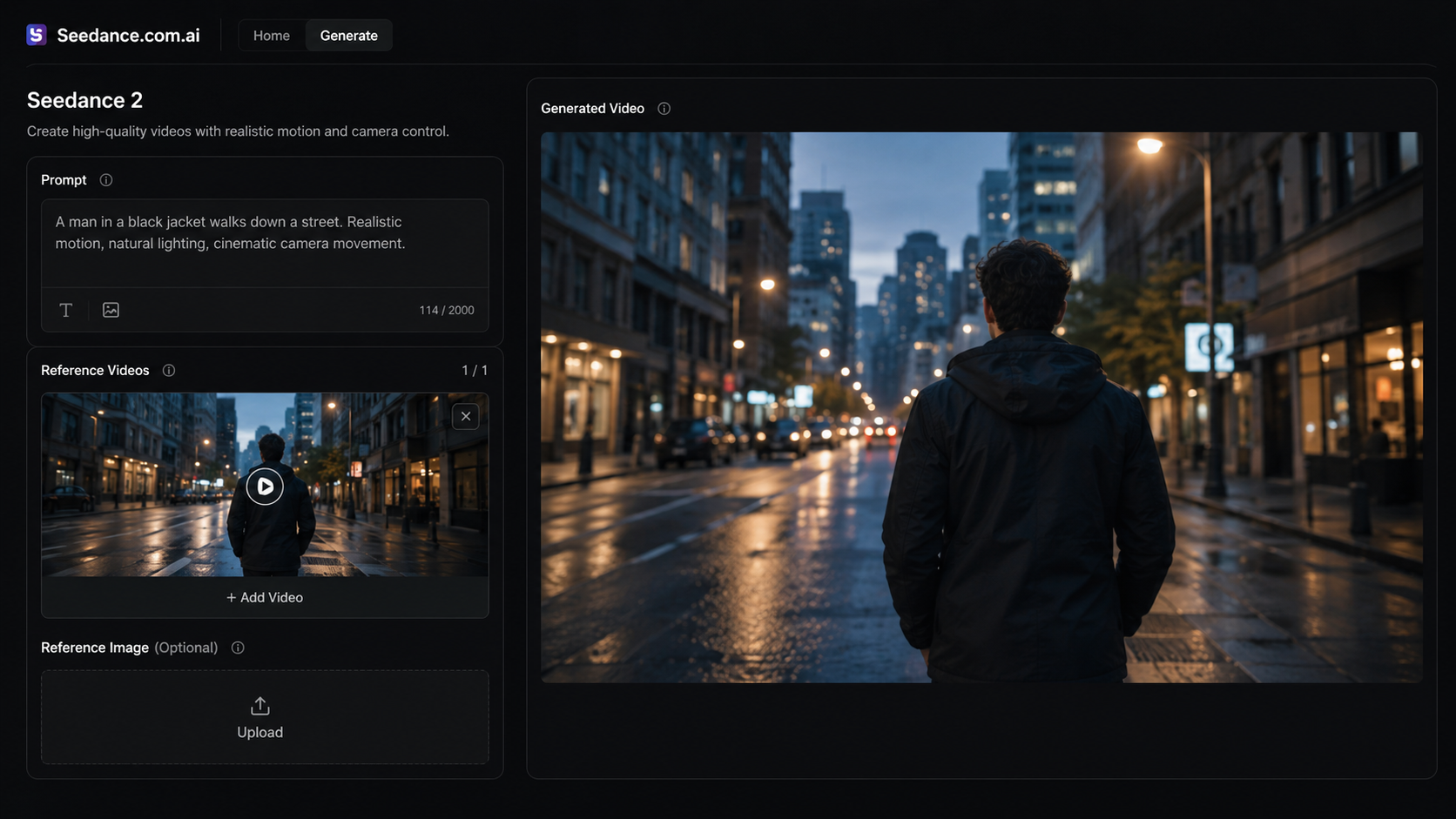
How to Use Reference Video in Seedance.com.ai
Step 1: Open the AI Video Workspace
Open the AI Video workspace on Seedance.com.ai and locate the Reference Videos input.
If you are not familiar with the basic generation process yet, start with our Seedance AI tutorial.
Step 2: Add Your Reference Video
Add the video you want to use as a motion reference.
Look at whether the movement you care about is actually easy to see. If you want to reference a person turning, the turning motion should be clear. If camera tracking is the priority, the camera movement should not be hidden by frequent cuts or several competing actions.
Step 3: Write a Prompt for the New Video
The Reference Video provides motion context, while the prompt explains what you want to generate.
A simple structure is:
What to Generate + Motion to Reference + Camera / Environment Details
For example:
A woman walks along a quiet beach at sunset. Follow the natural walking rhythm and smooth camera tracking from the reference video. Her hair and clothing move gently in the sea breeze while the camera remains steady and cinematic.
You do not need to describe everything already visible in the reference. Be specific about whether you care most about the subject motion, the camera movement, or another dynamic element.
Step 4: Review the Generation Settings
Check the available generation settings for the video you want to create, then run the generation.
The Reference Video works together with your prompt and selected settings, so changing one part of the setup can also change the result.
What Can You Reference from a Video?
Using Reference Video for Motion
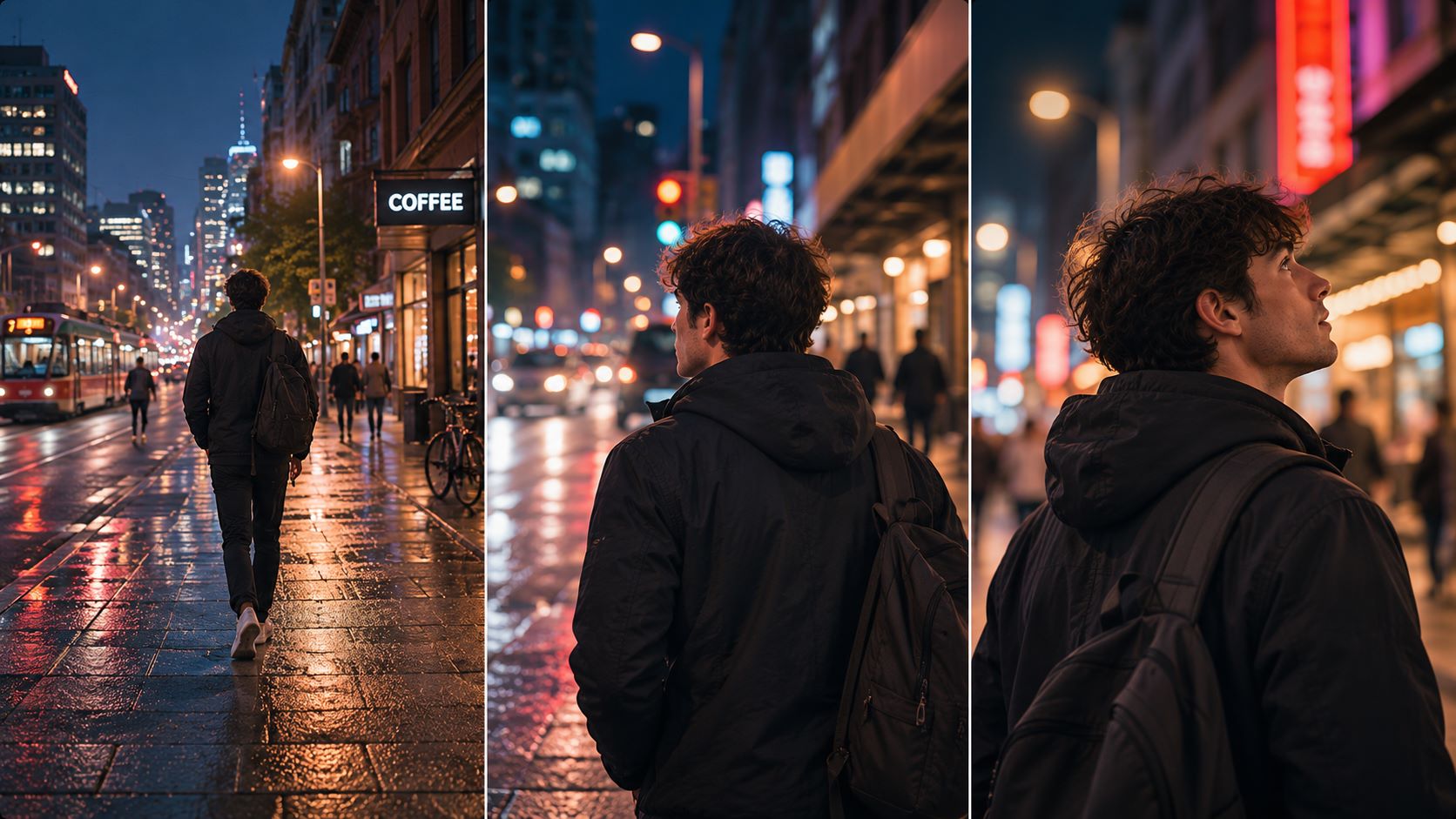
A reference video for motion is useful when the action has a clear sequence, such as walking, turning, raising a hand, or combining several movements.
For example:
Walk forward slowly → stop → turn toward the camera
A prompt like “walk and turn” does not show much about timing or order. A video reference can make that movement sequence easier to understand.
Using a Reference Video for Camera Movement
A reference video for camera movement can be useful for movements such as:
Tracking movement
Camera push-in
Pull-back
Following movement
Choose a clip where the camera movement itself is easy to observe rather than buried under rapid cuts or unrelated motion.
Actions and Scene Behavior
A Reference Video can also provide dynamic information from moving objects or changes happening elsewhere in the scene.
For example, the useful reference may come from an object moving through the frame rather than from the main character.
How to Write a Seedance Reference Video Prompt
When writing a Seedance reference video prompt, avoid vague instructions such as:
Make a video like the reference.
The problem is not that the prompt is short. It is that “like the reference” does not explain which part of the video matters.
If you mainly want to reference camera tracking, you could write:
A traveler walks through a misty forest in the early morning. Use smooth camera tracking similar to the reference video while keeping the traveler centered in the composition. Leaves move gently in the wind and the camera follows at a controlled pace.
If the subject's movement is more important, describe that action instead. If you only care about camera movement, avoid filling the prompt with unrelated action requirements.
For more general prompt structure, see our guide on how to write better AI video prompts.
How to Choose a Useful Reference Video
Make the Important Motion Easy to See
If you want to reference subject motion, choose a video where the action is easy to follow.
If camera movement is the priority, look at the camera itself. Heavy cutting, rapid character movement, or several simultaneous changes can make the motion you care about harder to isolate.
Keep the Reference Focused
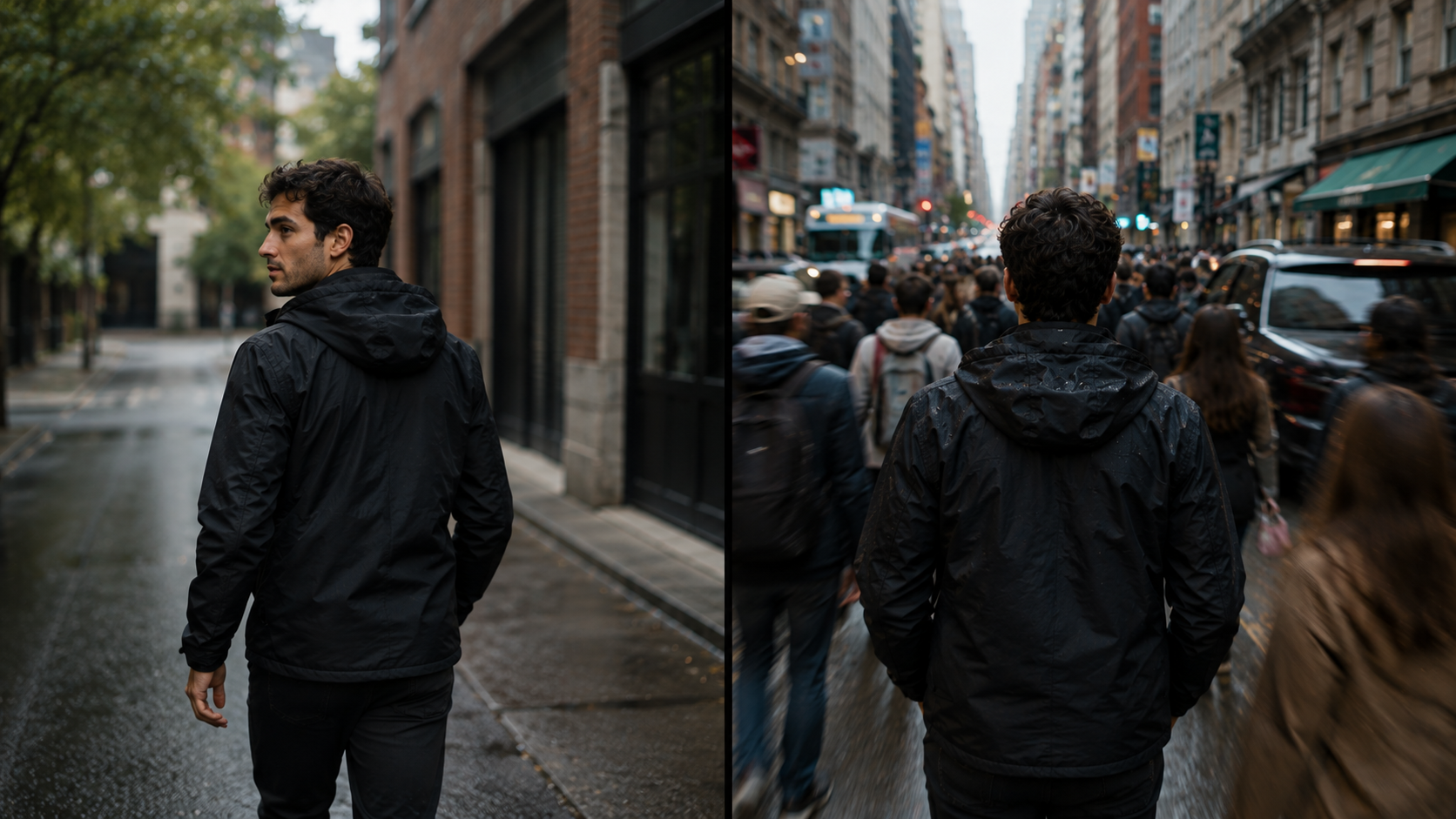
A clip with fast camera movement, several people moving, scene changes, and strong environmental motion all at once contains many competing signals.
A more focused reference is usually easier to work with when you have one specific motion in mind.
Match the Reference to Your Goal
Before choosing a reference video for AI video generation, ask one simple question:
What exactly do I want to reference from this clip?
If the only answer is that the clip looks good, but you cannot identify the motion, camera movement, or scene behavior you need, it may not be the most useful reference for that generation.
Common Reference Video Problems
Why Is the Motion Different From the Reference Video?
A Reference Video provides motion guidance rather than a frame-by-frame copy of the original clip.
If one action matters most, describe it more clearly in the prompt and reduce other complex changes that may compete with it.
Why Is the Camera Movement Hard to See?
Sometimes the camera movement is difficult to notice because too many other things are moving in the reference.
If camera movement is the priority, choose a clip where it is easier to observe and name the movement more clearly in the prompt, such as tracking or push-in.
Why Does a Complex Reference Produce Unstable Results?
A complex reference may contain subject motion, camera changes, and environmental movement at the same time.
If the new video also introduces major changes in subject, scene, and action, simplify the request and keep the most important motion reference.
Frequently Asked Questions
Can a Reference Video Guide Camera Movement in Seedance?
Yes. A Reference Video can provide camera movement as part of the dynamic reference. Choose a clip where the camera movement is easy to see, and use the prompt to clarify which type of movement you want to reference.
Does a Reference Video Replace an Image Reference?
Not necessarily. A video reference provides dynamic information such as motion and camera movement, while an image reference provides static visual information. Which one is more useful depends on what you want to guide in the generated video.
Should a Reference Video Focus on One Type of Motion?
A focused reference is usually easier to work with when one type of motion matters most. If the clip contains several competing actions, camera changes, or scene changes, make the priority clear in your prompt.
Conclusion
Reference Video is most useful when the part you want to reproduce is difficult to describe with text alone, especially subject motion and camera movement.
Choose a reference with a clear purpose, then use the prompt to specify which motion you want to borrow instead of asking the generated video to copy every detail from the original clip.



